This is a paragraph to introduce your watercolors. To edit any of these pictures, click on it. To add additional blocks, scroll down and hover just below the lowest image and then click the + sign. From blocks, choose MEDIA & TEXT. Insert a photo and type the title.
To add the link from the title on this page to a page about a specific painting: Go to the W menu. Clilck on POSTS (remember that pages about paintings are POSTS v. pages — to navigate from the W menu, you choose POSTS and select the title of the post you want to link). When you are on the page for the painting, cut/copy the URL link from the browser. Navigate back to PAGES >>> Watercolors. Find the title you want to link and click on it. You will see an icon that looks like parentheses separated by a minus (–). Paste in the URL you copied.
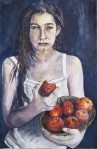
Follow the link for Girl Eating Apples below to see how this works.

 Ron Erlich Art